Give your AI tools SQL access — with a human in the loop.
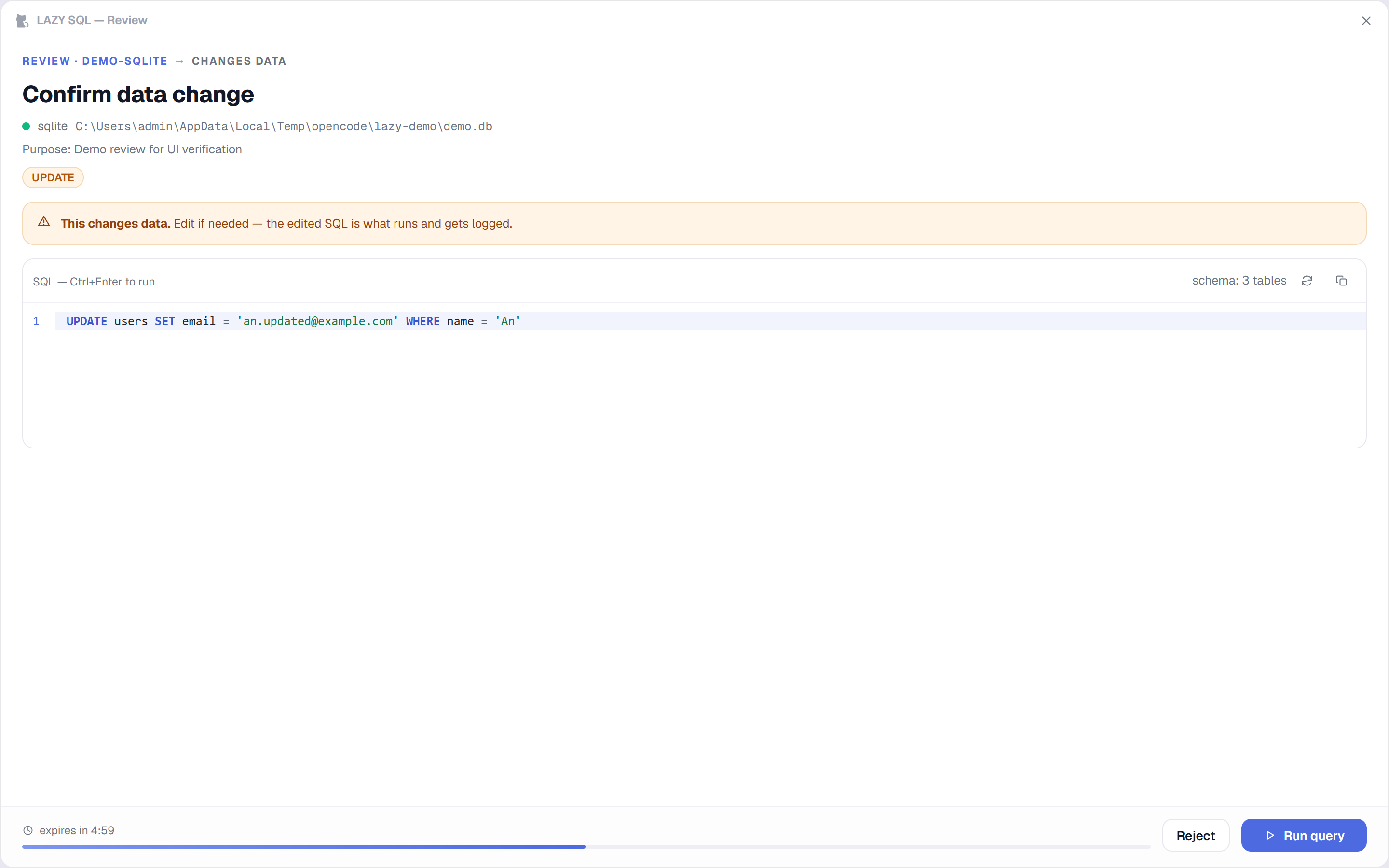
LAZY SQL is a local MCP server for OpenCode, Claude Code, Kiro and Cursor. Read-only queries run instantly. Every write, schema change or unclear statement opens a review dialog first — nothing touches your data until you approve it.
✓ PostgreSQL · MySQL · SQL Server · SQLite✓ Windows & macOS✓ 100% local — no cloud, no telemetry
Write detected → approval required
4database engines
3MCP tools, one gate
~5.6 MBsingle-file engine
0bytes leave your machine
Features
Built for agents that move fast — and databases that don't forgive
Everything an AI session needs to query safely, and everything you need to stay in control of it.
Review dialog, not a popup page
The engine spawns a dedicated frameless window — always-on-top, docked to the screen edge — with an editable SQL editor, schema-aware autocomplete, danger warnings and a countdown. The edited SQL is what executes and gets logged.
Built-in SQL editor
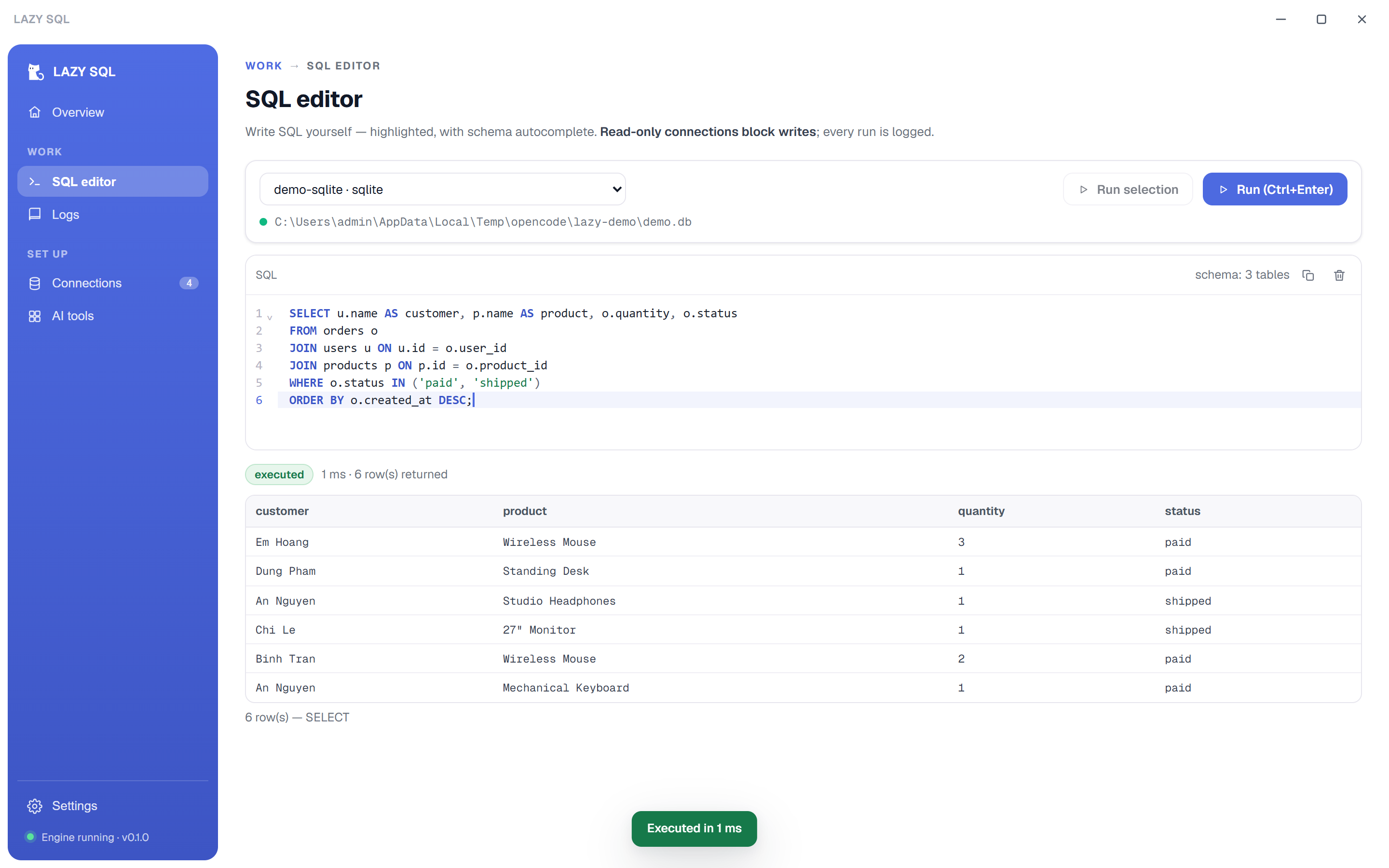
Pick a connection and write SQL yourself with syntax highlighting and schema autocomplete. Read-only connections block writes here too, and every manual run lands in the execution log.
Enable / read-only per connection
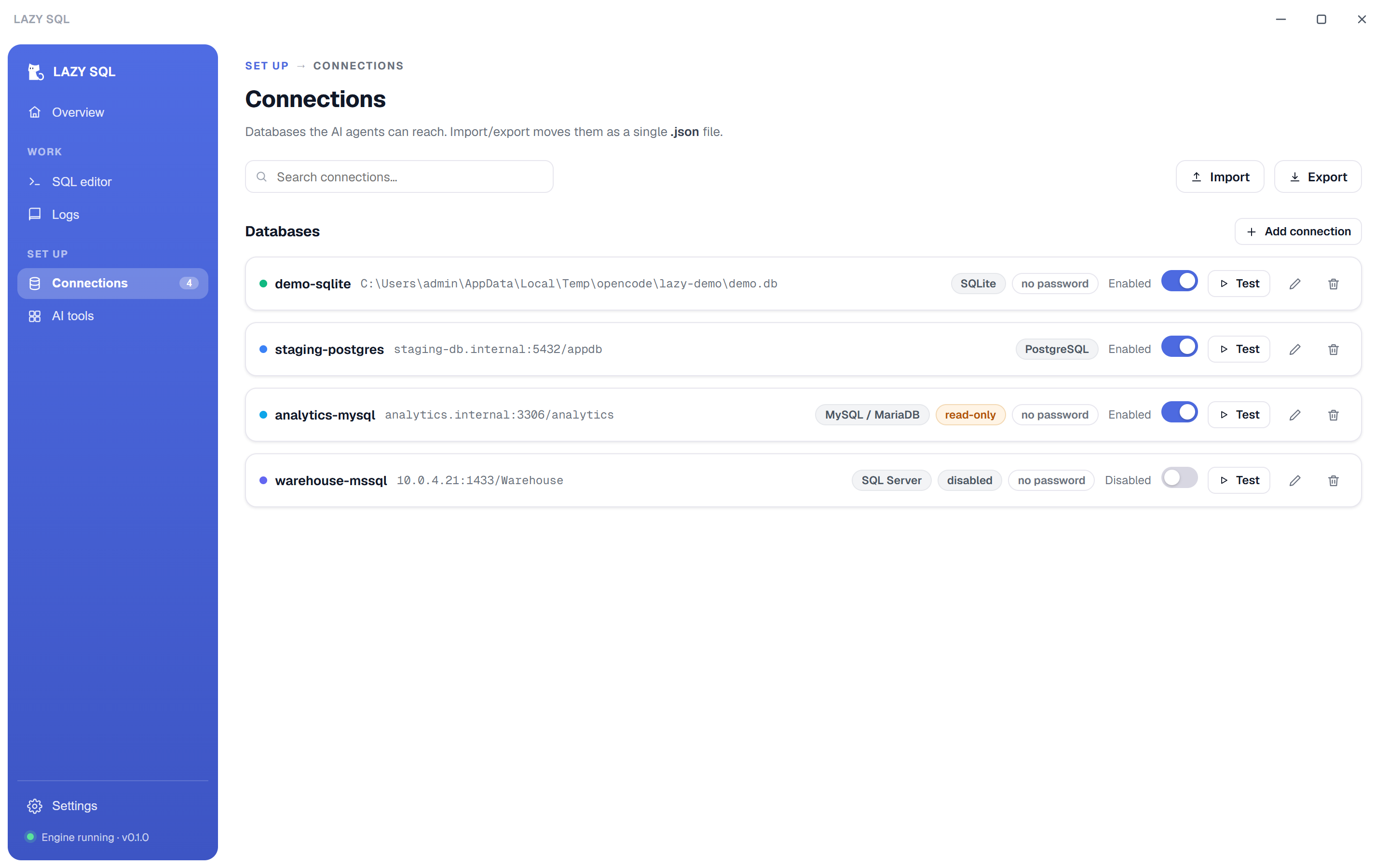
Every connection has an enabled flag for agent visibility and a read-only flag that blocks writes server-side and at the driver session level. Lock an entire workspace read-only with one env var.
Per-workspace MCP toggles
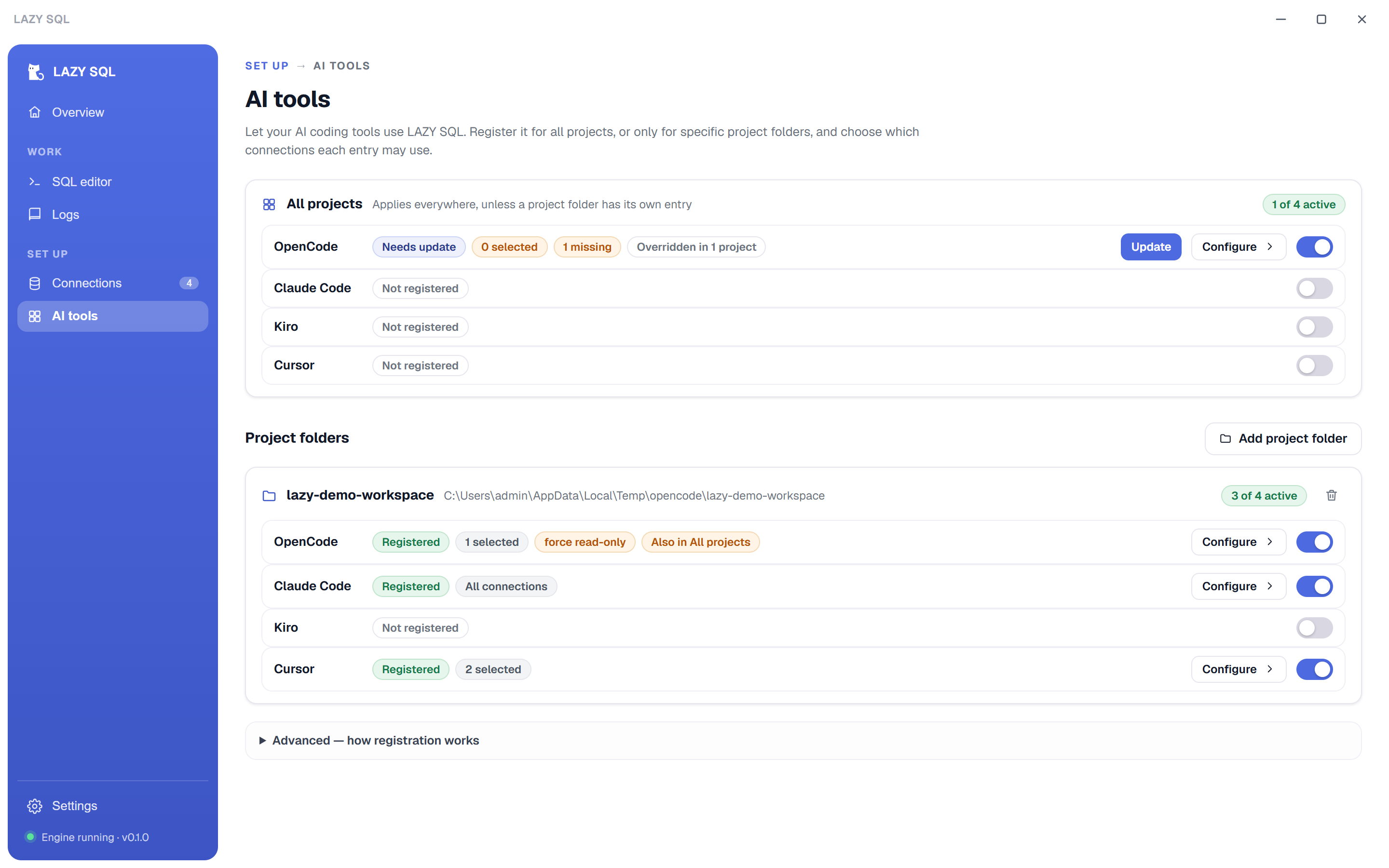
Register or remove LAZY SQL for OpenCode, Claude Code, Kiro and Cursor — globally or per project folder — and choose exactly which connections each scope may use. Config edits are minimal, atomic and backed up once.
Logs on every run
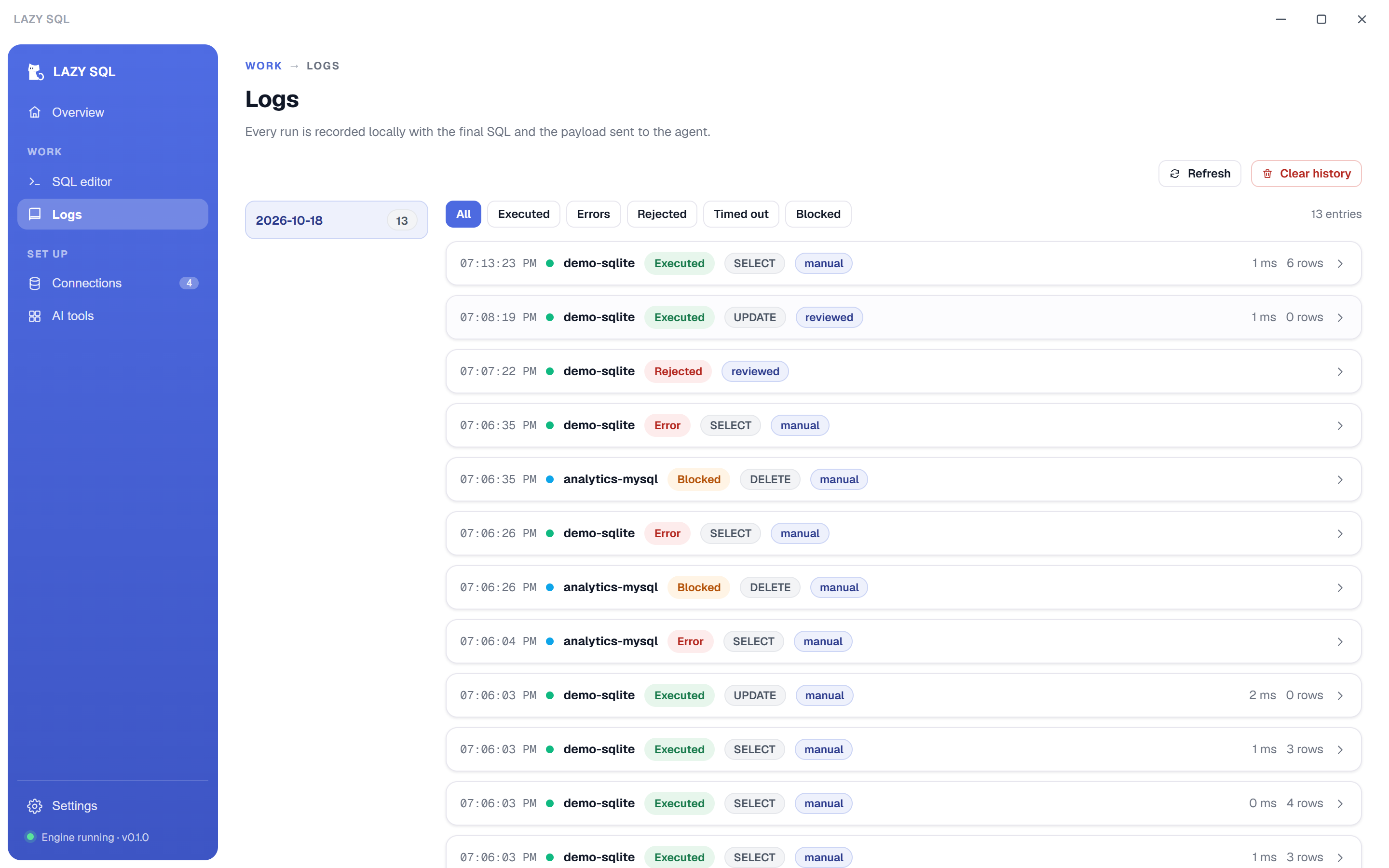
Read queries, approved writes (final SQL + params), rejections, timeouts and blocks are all written to a local log with the exact payload returned to the agent. Browse by date, filter by status.
Import / export connections
All connections travel as a single .json file. Passwords are opt-in only — ${'${ENV_VAR}'} placeholders preferred. Conflict handling on import: skip, overwrite or keep both.
How it works
One local engine, one human gate
The MCP stdio server and the desktop app share a single Node engine. Agents talk stdio; the dialog talks to the same engine over a token-guarded localhost API.
AI tool
OpenCode, Claude Code, Kiro or Cursor calls execute_sql over stdio MCP.
→
LAZY SQL engine
Classifies the statement. Reads run instantly. Writes wait for a decision.
→
Review dialog
Spawned per review — edit the SQL, run it, or reject. Rejections close the dialog and tell the agent.
The agent asks
execute_sql with SQL, params and an optional purpose note.
You decide
Read-only runs need nothing. Writes open the dialog: approve (possibly edited), or reject. Expired reviews auto-reject.
Everything is logged
The final SQL, params, duration and the exact result payload sent back to the agent — locally, per day.
Screenshots
A quiet, fast companion app
The main window is for setup and history — connections, SQL editor, logs, AI tool registrations and settings. Reviews never interrupt it; they belong to the agent session that asked.
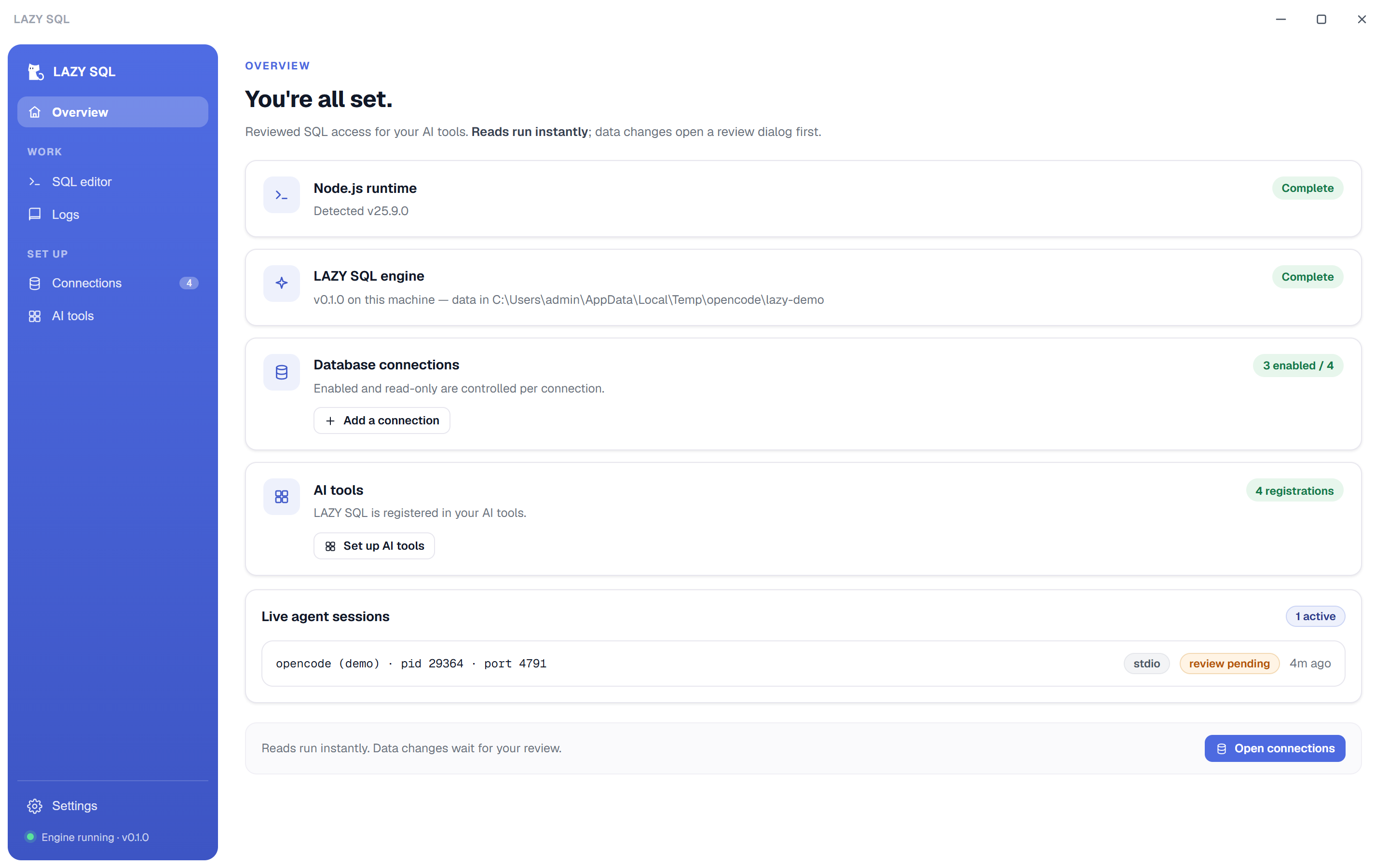
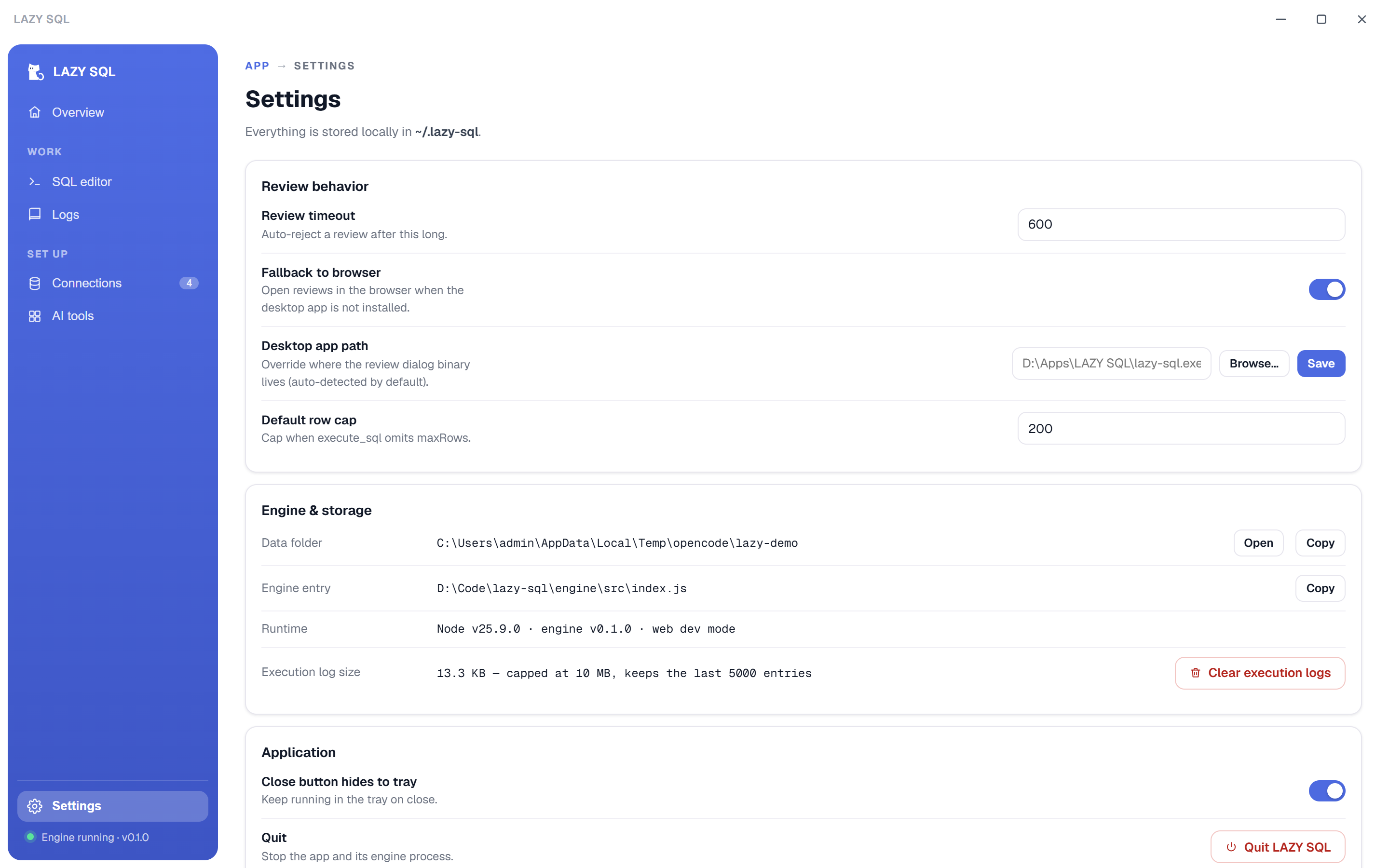
SQL editor — schema-aware autocomplete, live results, every run logged.Connections — enable/disable, read-only mode, test, import/export.Execution history — executed, rejected, blocked and errored runs with filters.AI tools — per-project MCP registration with per-tool connection scope.Overview — engine status, connection counts and live agent sessions.Settings — review timeout, browser fallback, storage and log maintenance.
Install
Up and running in two minutes
Install the app, add a connection, then flip the toggle for your AI tool. The engine ships inside the app — Node.js ≥ 22.5 is the only requirement.
Windows: per-user install, no admin rights — an MSI for managed deployments is on the releases page. macOS: unsigned build — on first launch right-click the app → Open (or xattr -d com.apple.quarantine "/Applications/LAZY SQL.app"). Node.js ≥ 22.5 required on both platforms.
# register the MCP server (example: OpenCode) # easiest path: use the AI tools page in the app
{ "mcp": { "lazy-sql": { "type": "local", "command": ["node", "<path-to>/lazy-sql-engine.mjs"], "environment": { "LAZY_SQL_ALLOWED_CONNECTIONS": "staging-db" }
}
}
}
The three MCP tools
execute_sql— reads run instantly; writes open the review dialog get_db_objects— list/describe tables, views, procedures, triggers open_db_config— open the connection manager when a DB is missing
Environment (excerpt)
LAZY_SQL_ALLOWED_CONNECTIONS=staging-db,prod-replica LAZY_SQL_FORCE_READ_ONLY=1 # lock a whole workspace read-only LAZY_SQL_REVIEW_TIMEOUT_MS=600000 # auto-reject after 10 min LAZY_SQL_DATA_DIR=~/.lazy-sql # all state lives here
Security model
Nothing runs without a decision
A review dialog is the human approval step for every data or schema change — and read-only connections are blocked before any dialog opens.
Approval before execution
INSERT / UPDATE / DELETE / DDL / CALL and anything unclear open the dialog. The edited SQL is what executes and what gets logged.
Localhost only
The API binds 127.0.0.1 and every call requires a per-session token. CORS is limited to local origins. No cloud, no telemetry.
Credentials stay put
Passwords are stored locally with 0600 permissions (or resolved from ${'${ENV_VAR}'}). The API never returns them and errors are scrubbed.
Least privilege per scope
Each project folder gets its own allow-list of connections. A list with no usable entry allows nothing — malformed config never widens access.